Enabling Visual Feedback, Screenshot Capture & GDPR Compliance
NanoLog provides enterprise-grade Visual Feedback capabilities that let users take, annotate, and attach screenshots to their feedback submissions. To remain 100% GDPR-compliant and ensure no Personal Identifiable Information (PII) or sensitive credentials ever leave your customer's browser, NanoLog features built-in Client-Side Intelligent Auto-Redaction and a zero-persistence secure backend.
1. Enabling Visual Feedback (Admin Setup)
Screenshot support can be easily enabled and configured on the Scale and Enterprise plans.
Toggle Switch & Custom Selectors
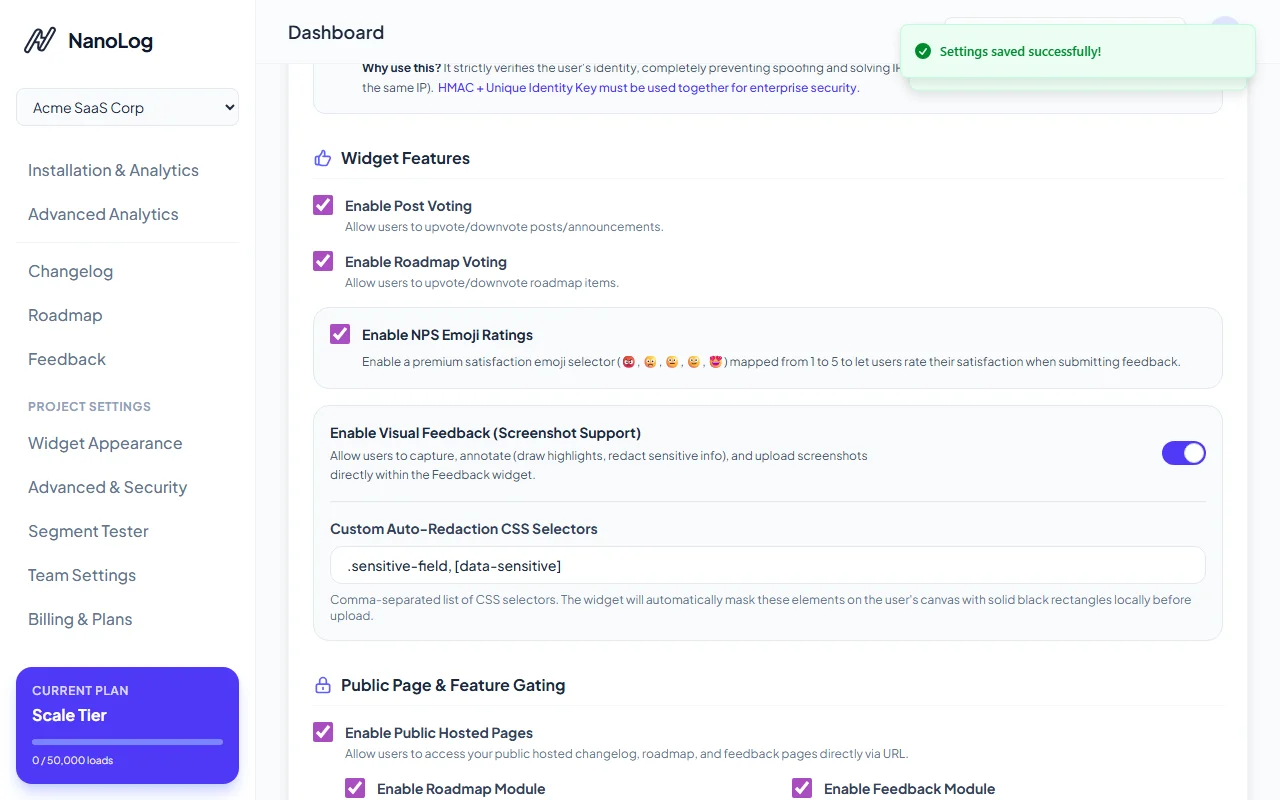
To turn on Visual Feedback, navigate to Advanced & Security (Project Settings) inside your NanoLog Dashboard:
- Locate the Widget Features section.
- Toggle on the Enable Visual Feedback (Screenshot Support) switch.
- (Optional) Add a comma-separated list of CSS selectors (e.g.,
.private-data, #cc-number) in the Custom Auto-Redaction CSS Selectors field to mask bespoke private data components.
2. In-App Screenshot Capture
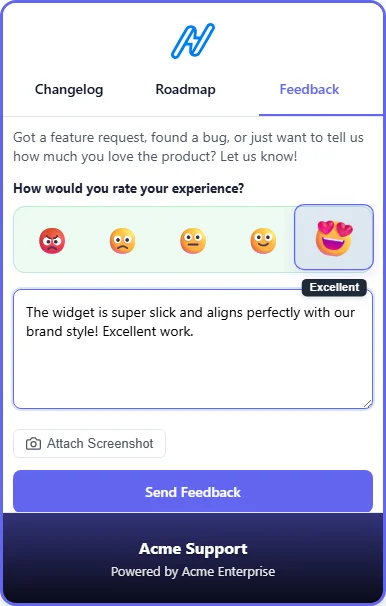
Once enabled, an interactive screenshot button is automatically added to the in-app feedback form:
The "Attach Screenshot" Button
When a user opens the widget and switches to the Feedback tab, a clean Attach Screenshot button with a camera icon appears directly under the text field:
3. Explicit User Consent Flow
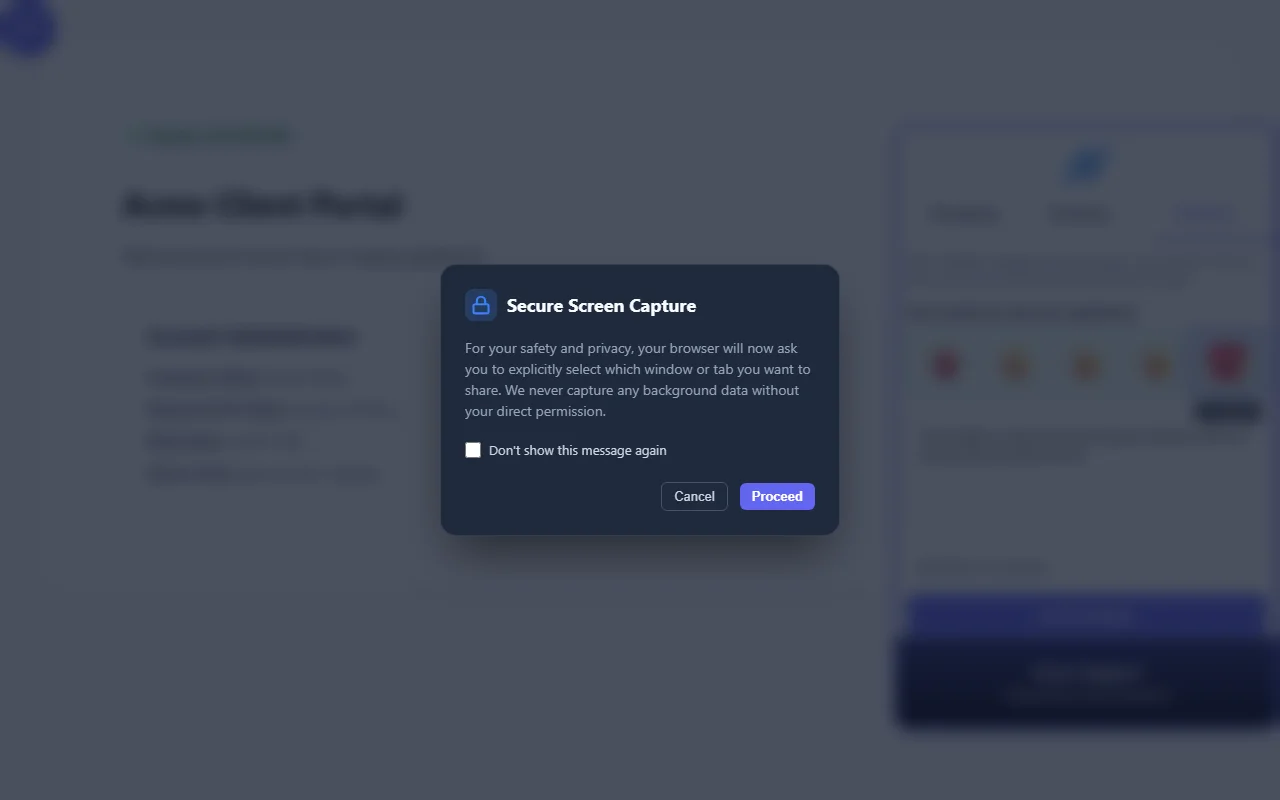
Frictionless capture paired with complete visibility. When the user clicks the Attach Screenshot button:
- NanoLog displays a beautiful glassmorphic modal explaining that the browser will prompt them to explicitly choose which tab, window, or screen to share.
- Users can check a Don't show this again box to store their preference in
localStorageand skip the consent screen in future submissions.
4. Client-Side Intelligent Auto-Redaction
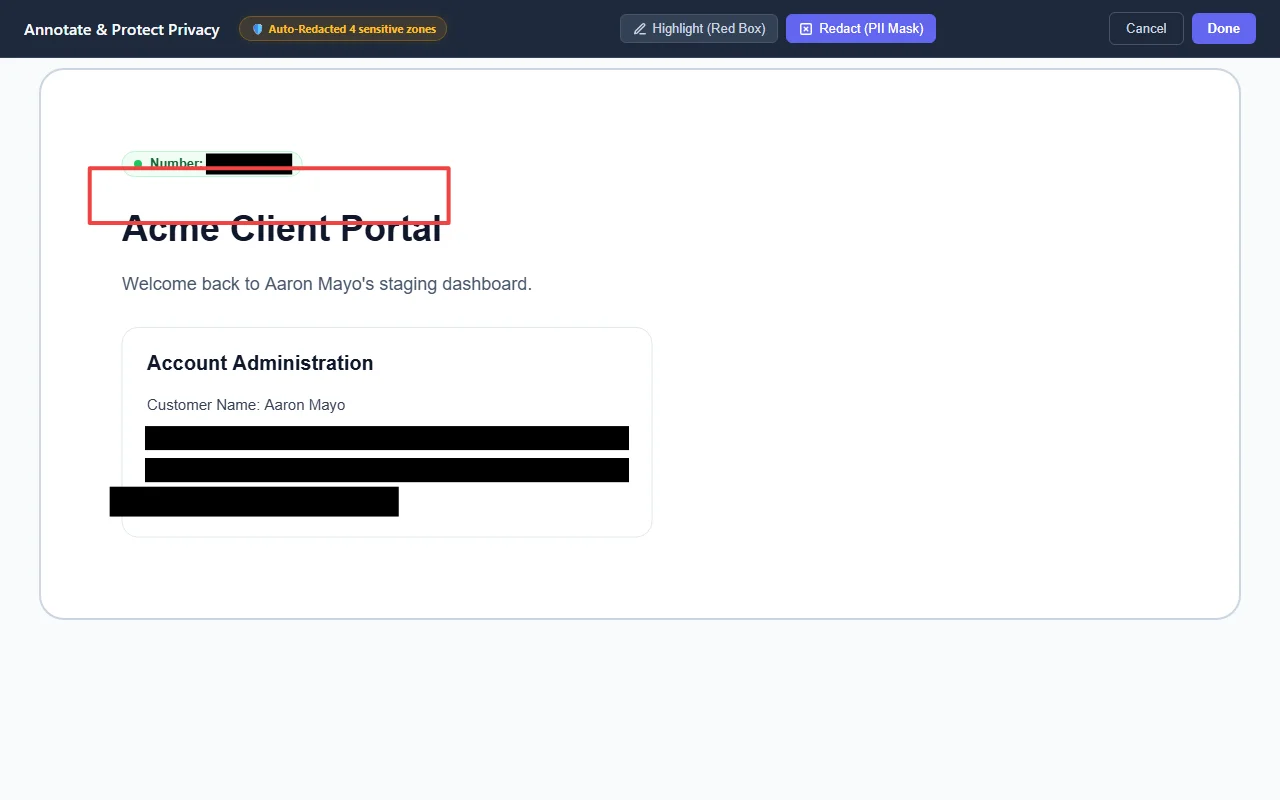
To ensure absolute privacy, the scrubbing and masking pipeline executes locally in the browser using HTML5 Canvas before any data is sent to our servers:
- DOM Scanning: The widget immediately scans the active viewport DOM before rendering the screenshot workspace.
- PII Element Isolation: It identifies sensitive input elements, custom classes, and raw text structures (like credit cards, phone numbers, or email strings).
- Bounding-Box Mapping: Viewport coordinates are computed using
getBoundingClientRect()and scaled precisely to the captured canvas width and height. - Solid Black Masking: The canvas is painted with solid, un-reversible black rectangles over these sensitive zones.
- Original Image Destruction: The original, unredacted image never leaves the user's browser. The server only ever receives the already-redacted static image.
Elements Automatically Redacted
NanoLog's client scrubber automatically targets the following HTML elements out-of-the-box:
- Sensitive Input Types:
<input type="password">,<input type="email">,<input type="tel">. - Credential Fields: Any
<input>or<textarea>containing sensitive substrings in their name, ID, or attributes (e.g.,card,cc,ssn,social,phone,pass,pin,secret,zip,address). - Standard Privacy Classes: Any element containing standard CSS classes or attributes:
.private,.sensitive,.pii,[data-private],[data-sensitive],[data-pii]. - Plaintext Emails & Phone Numbers: Visible text nodes matching standard regex patterns for email addresses and phone numbers.
Real-Time Privacy Status Badge
During screen capture and redaction, NanoLog displays a beautiful live privacy status badge in the header:
- 🛡️ Auto-Redacted N sensitive zones: Informs the user of how many sensitive areas were automatically masked for them.
- ✅ Privacy clean - No PII found: Assures users that the script scanned the screen and found no sensitive inputs or standard fields before offering drawing tools.
5. Custom Redaction Selectors
For tailored enterprise workflows, you can specify a comma-separated list of custom CSS selectors in your Dashboard Settings:
<!-- This element will be completely blacked out automatically before the user sees the screenshot overlay -->
<div class="user-profile-details" data-sensitive>
    <span>SSN: 000-12-3456</span>
    <span>DOB: 18-06-1992</span>
</div>
6. Zero-Persistence Server Security
While the client-side auto-redaction guarantees that no PII is transmitted, NanoLog's backend is engineered to handle incoming feedback with maximum security.
In-Heap Secure Memory Zeroing
When the redacted screenshot image is received by our backend API:
- The image buffer is processed entirely in-memory.
- Immediately after writing the redacted file to our secure storage, the active Node.js / V8 in-heap buffers containing the image chunks are forcefully overwritten with zeros (zero-fill memory destruction) before being released for garbage collection.
- This prevents memory-scraping exploits and guarantees that no transient copy of your customer's data persists in backend RAM residues.